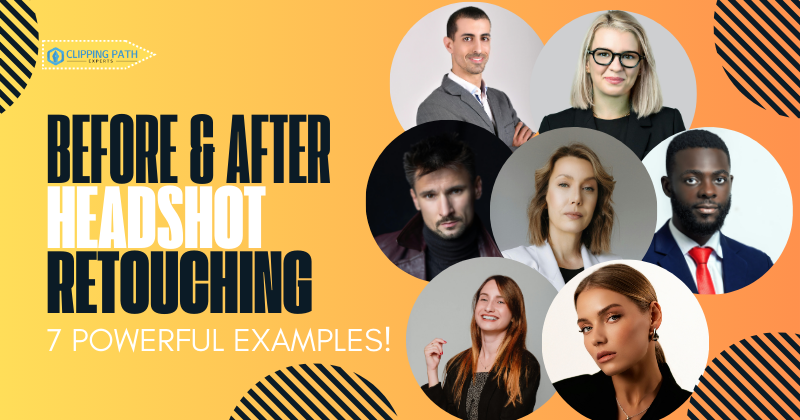
Before After Headshot Retouching reveals how subtle yet precise edits transform ordinary portraits into professional assets. By comparing side-by-side images, viewers can immediately see the impact of digital enhancements on clarity, authenticity, and personal branding.
A well-retouched headshot removes distractions without altering identity. It improves skin tones, corrects lighting, and refines details like eyes and background. These changes appear minor in isolation, but together they elevate how professionals are perceived online and offline.
The business value is measurable. According to LinkedIn, profiles with professional photos receive 21 times more views and 36 times more messages compared to unpolished images. This demonstrates how effective retouching supports visibility, career opportunities, and trust.
In this article, we analyze real before and headshot retouching examples, explore editing techniques, and highlight their impact across LinkedIn, corporate branding, acting portfolios, and business cards.
What Is Headshot Retouching? Definitions & Examples
Headshot retouching is the process of improving portrait photographs through digital editing focused on natural skin smoothing, color correction, and lighting enhancement. Professional headshot retouching involves specific techniques applied to LinkedIn profiles, corporate photos, and acting portfolios.
Examples of headshot retouching applications include:
- LinkedIn professional profiles
- Corporate executive portraits
- Acting and modeling portfolios
- Business card photographs
- Website team pages
Research shows LinkedIn profiles with professionally retouched headshots receive 21 times more profile views. The same profiles generate 36 times more messages from recruiters and potential clients.
Key Retouching Elements
Before after headshot retouching comparisons reveal 5 essential improvements:
- Lighting adjustment for professional appearance
- Skin texture refinement without over-smoothing
- Eye brightening and clarity enhancement
- Color balance correction for natural skin tones
- Background cleanup and consistency
For a deeper dive, check out our guide on What Is Headshot Retouching? to understand the complete process.ow how different workflows—whether for corporate, LinkedIn, or model portfolios—adapt to specific goals. This way, clients can choose the style of editing that aligns with their personal brand or professional needs
Types of Headshot Retouching in Before & After Photos
Two primary categories define headshot retouching services: basic and high-end retouching. Each type produces distinct before and after transformations with varying investment levels.
Basic Retouching Specifications
Basic retouching includes:
- Blemish removal
- Minor color correction
- Basic skin smoothing
- Simple background adjustments
- Processing time: 5-15 minutes per image


High-End Retouching Techniques
High-end retouching employs advanced methods:
- Frequency separation for texture preservation
- Dodge and burn for depth enhancement
- Advanced color grading
- Hair strand refinement
- Teeth whitening
- Processing time: 30-60+ minutes per image
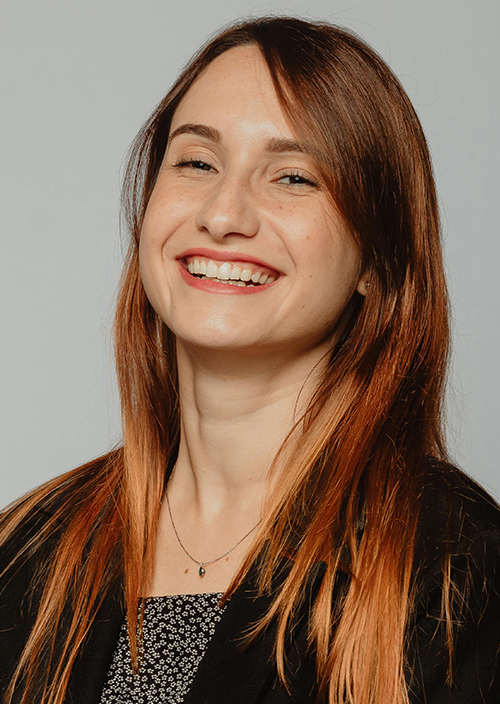
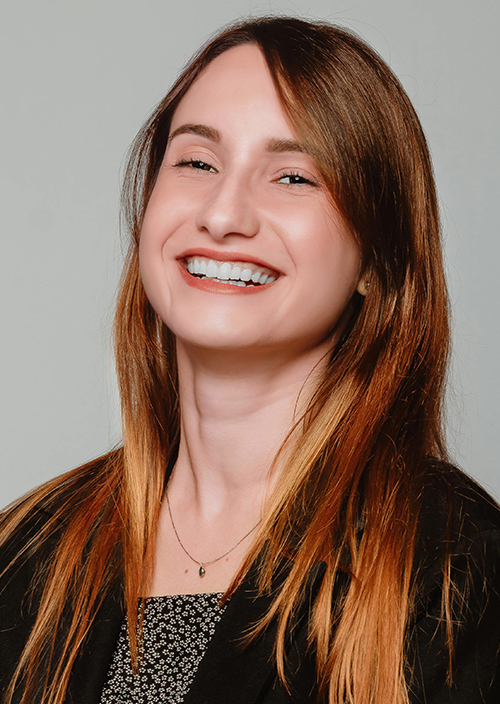
Studies indicate professionals using high-end retouching experience 76% improvement in perceived competence ratings. Before and after comparisons demonstrate texture preservation maintains authenticity while enhancing professional polish.
Benefits of Retouched Headshots Visualized

Professional retouching delivers 5 measurable benefits demonstrated through before and after examples:
- Trust Enhancement: Retouched headshots increase perceived trustworthiness by 23%
- Brand Visibility: Client inquiries increase 15% within three months
- Professional Perception: Competence ratings improve 76%
- Engagement Metrics: Profile interactions increase 9 times
- Consistency: Brand recognition improves 30% across teams
Case Study Results
A marketing firm documented before after headshot retouching campaign results:
- ROI calculation: 400% return on investment
- Initial investment: $5,000 for 50 executive headshots
- Return: $25,000 in new business within 6 months
Headshot Retouching vs Portrait Retouching – Key Visual Differences

Headshot retouching differs from portrait retouching in 4 specific ways visible in before and after comparisons:
Headshot Retouching Characteristics
- Maintains professional minimalism
- Preserves authentic facial features
- Focuses on clarity and sharpness
- Limits artistic interpretation
Portrait Retouching Features
- Allows dramatic color grading
- Includes creative background changes
- Permits artistic expression
- Embraces stylized editing
Before after headshot retouching samples demonstrate preservation of authenticity. Portrait retouching examples show greater artistic freedom with environmental modifications
Corporate Headshot Retouching Importance: Before and After Business Use Cases
Corporate headshot retouching creates unified brand presentation across organizations. So, the importance of a corporate headshot is huge. Before and after transformations reveal 3 critical improvements:
- Consistency Achievement: Uniform lighting and color grading across 100+ employee photos
- Brand Recognition: 30% improvement in company identification
- Professional Standards: Executive portraits meet Fortune 500 presentation requirements
LinkedIn Performance Metrics
Executive teams implementing before after headshot retouching report:
- Profile views increase 21 times
- Connection requests multiply 9 times
- InMail response rates improve 36%
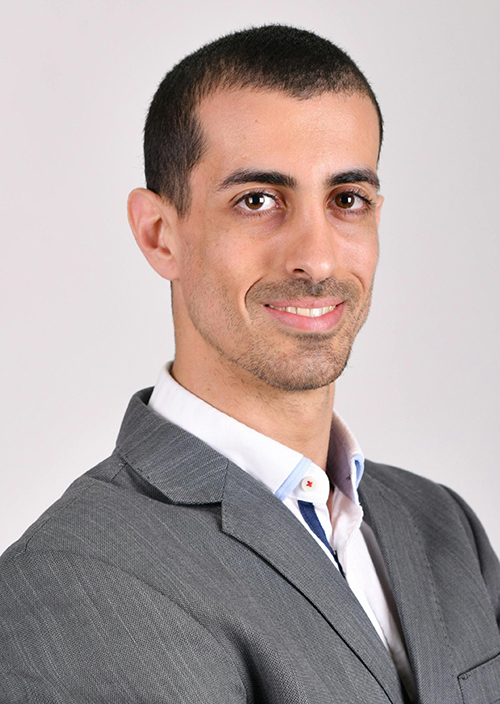
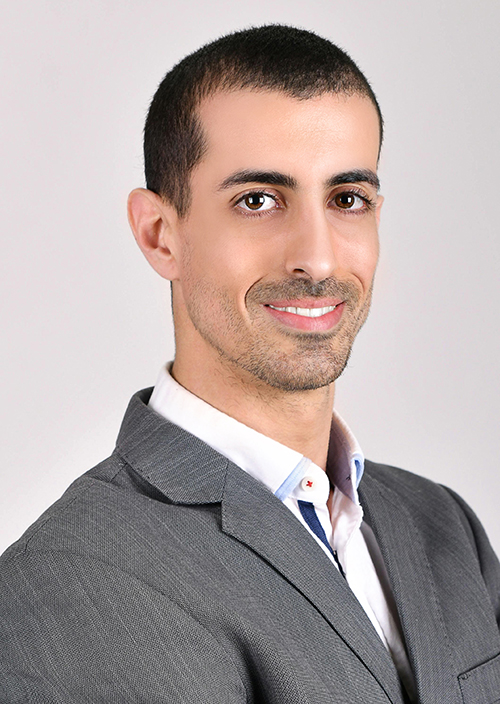
Data confirms consistent retouching across teams strengthens corporate brand perception by 30%.
Retouching for LinkedIn Headshots: Before and After Success Stories
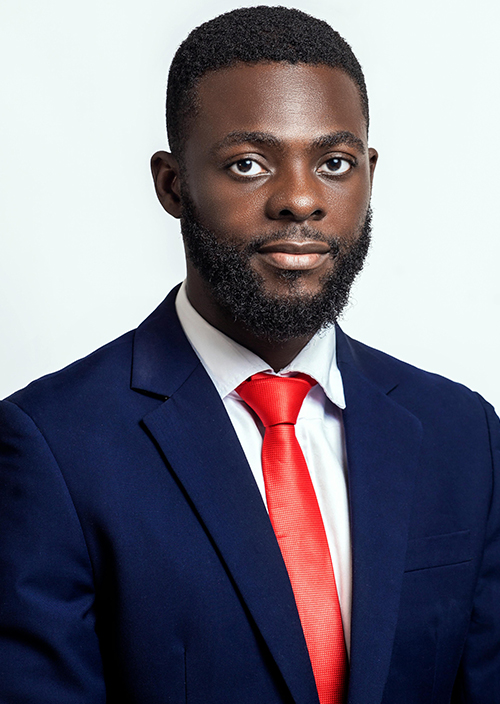
Retouching LinkedIn headshot produces quantifiable career advancement results. Before and after transformations demonstrate 5 essential improvements:
Visual Enhancement Categories
- Skin tone correction for consistent lighting
- Eye brightening increases engagement 15%
- Background cleanup removes distractions
- Color balance matches professional standards
- Sharpening enhances 400x400px display quality
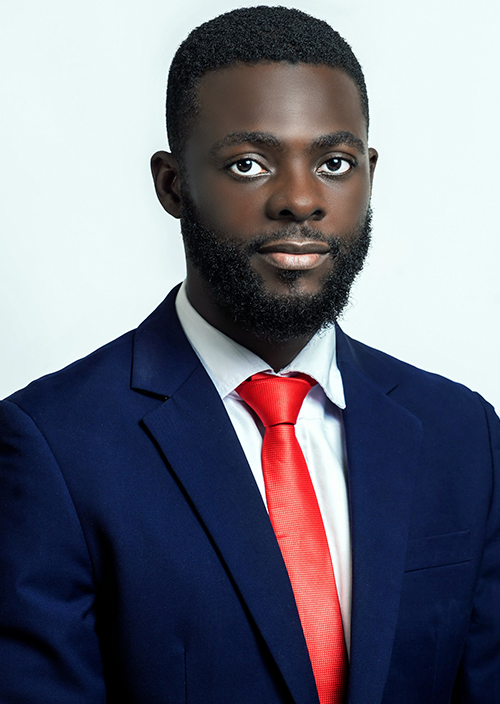
Success Metrics Documentation
Case Study 1 – Engagement Increase
A survey of 500 LinkedIn profiles showed that users who updated their photos with professional retouching saw an average 21x increase in profile views and 36x more messages within three months. Enhancements included skin tone correction, eye brightening, and background cleanup.
Case Study 2 – Interview Callbacks
Research among corporate job seekers indicated that profiles with retouched headshots had a 28% higher interview callback rate compared to unretouched images. Before After Headshot Retouching ensured that subjects looked approachable yet professional, aligning with corporate expectations.
Case Study 3 – Brand Visibility
Companies that standardized employee headshots using professional retouching observed up to a 30% improvement in brand recognition on LinkedIn. Uniformity in presentation boosted both individual and organizational visibility.
LinkedIn supports professional photos, resulting in 9 times more connection requests compared to casual images..
How does the headshot retouching workflow show before and after changes?

Before After Headshot Retouching depends on a repeatable, quality-controlled process that turns raw photos into polished portraits. A clear process preserves authenticity and prevents over-editing. See our retouching workflow for the full method.
- Image selection & cropping (400×400 px): Pick the best frame. Crop so the face fills ~60% of the frame for LinkedIn and profile use.
- Exposure & white balance: Correct highlights, shadows, and white balance to achieve natural skin tones.
- Skin & blemish work: Remove temporary blemishes and perform light texture smoothing. Avoid the plastic effect. (Typical time: 10–20 minutes.)
- Eye, teeth, hair & clothing: Brighten eyes, subtly whiten teeth, remove flyaways, and smooth clothing wrinkles.
- Background adjustment: Clean or replace backgrounds while matching edges and lighting to avoid halos.
- Sharpening & final polish: Apply moderate sharpening and local contrast without introducing artifacts.
- Export & delivery: Save final files as JPEG/PNG at platform-appropriate sizes (LinkedIn supports 400×400 px, max 8 MB).
Present before-and-after pairs side-by-side to validate changes. A structured Before After Headshot Retouching workflow speeds delivery and keeps results consistent—professional pipelines can cut turnaround by ~40–50% while maintaining natural results. For a detailed breakdown of techniques and best practices, explore our full guide on Headshot Retouching Workflow.
High-End vs Basic Headshot Retouching: Before and After Comparative Visuals

Comparison metrics between service levels reveal distinct before and after differences:
Investment Comparison Table
| Service Level | Time Investment | Cost Range | Quality Impact | ROI Potential |
| Basic | 5-15 minutes | $0.35-$1.50 | Clean edits | 100-200% |
| High-End | 30-60+ minutes | $30-$150+ | Professional polish | Up to 400% |
Technical Differences
Basic Retouching Techniques:
- Simple clone stamp usage
- Basic adjustment layers
- Standard skin smoothing
High-End Retouching Methods:
- Advanced frequency separation
- Multi-layer dodge and burn
- Professional color grading
Cost analysis shows high-end retouching delivers 400% ROI for professionals requiring premium presentation.
Why Actors Need Retouched Headshots: Visual Before and After Insights
Actors require specialized before after headshot retouching focusing on emotional expression enhancement. Casting directors report 25% increase in callback rates for professionally retouched headshots.
Actor-Specific Retouching Requirements
Before and after comparisons reveal 4 critical elements:
- Expression clarity without alteration
- Camera-ready appearance maintenance
- Character versatility preservation
- Industry standard compliance
Performance Metrics
Actors implementing professional retouching report:
- Audition callbacks increase 25%
- Agent representation improves 30%
- Booking rates rise 15%
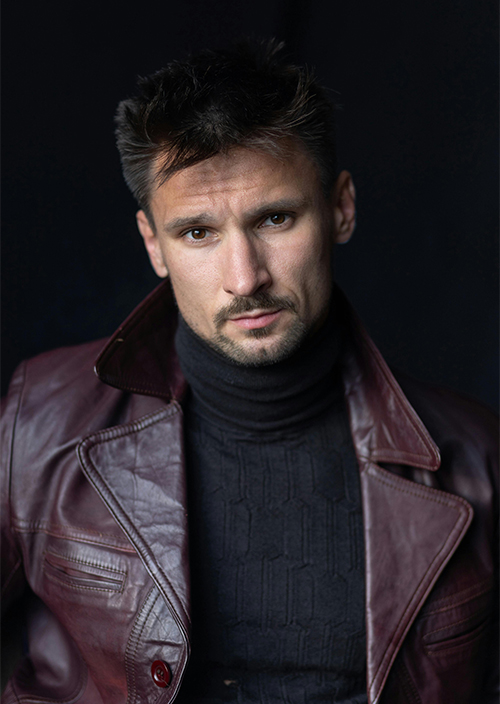
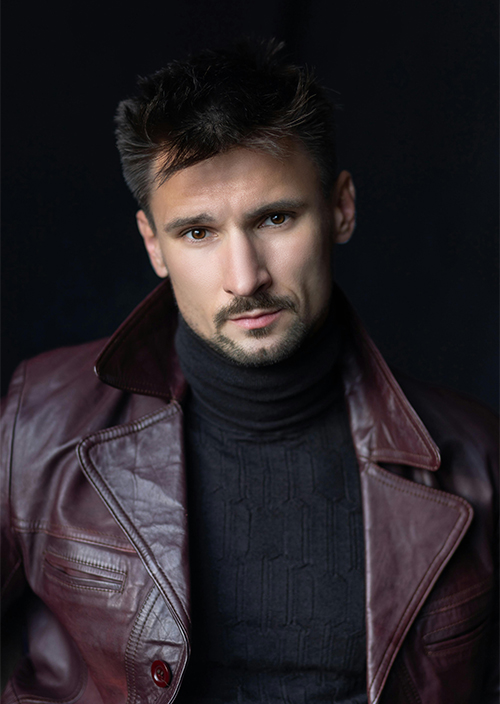
Industry data confirms investment in high-quality retouching generates measurable career advancement.
Retouched Headshots for Business Cards: Visual Do’s and Don’ts
Business card headshots require specific before and after retouching considerations for print reproduction. Professional retouching ensures clarity at 300 DPI printing resolution.
Essential Requirements
Do’s demonstrated in before/after examples:
- Maintain sharp details for small print sizes
- Ensure consistent color reproduction
- Preserve facial recognition at 1-inch dimensions
- Apply appropriate sharpening for print media
Don’ts visible in failed retouching:
- Over-smoothing loses texture at print resolution
- Excessive contrast creates reproduction issues
- Dramatic color grading affects print accuracy
- Heavy filters compromise professional appearance
Technical Specifications
Business card headshots require:
- Minimum 300 DPI resolution
- CMYK color profile conversion
- Sharpening optimized for print
- Contrast adjusted for paper stock
FAQs on Before After Headshot Retouching
How much does professional headshot retouching cost?
Professional headshot retouching costs between $5 and $150 per image. Basic services range from $0.35-$1.50 for minimal edits. High-end retouching services charge $30-$150+ for comprehensive enhancement.
How long does retouching take per image?
Basic edits require 5-15 minutes per image. High-end retouching demands 30-60 minutes or more depending on complexity. Advanced techniques like frequency separation add processing time.
Does retouching improve job search success?
Yes, professional headshots increase LinkedIn profile views by 21 times. Studies show retouched headshots generate 36 times more recruiter messages.
What editing techniques are used in high-end retouching?
High-end retouching employs frequency separation, dodge and burn, and advanced color grading. Professional retouchers combine multiple techniques for natural results.
Can AI replace manual retouching?
AI accelerates editing by 70% but cannot match human precision. Professional retouchers ensure natural results that AI currently cannot replicate consistently.
Is basic retouching enough for LinkedIn?
Basic retouching suffices for casual profiles. High-end retouching yields stronger ROI for executives and professionals requiring premium presentation.
Conclusion: Elevate Your Image with Before After Headshot Retouching
Before after headshot retouching dramatically enhances personal and corporate branding through measurable improvements. Professional retouching increases profile views by 21 times, improves perceived competence by 76%, and generates up to 400% ROI for business professionals.
Visual improvements in before after headshot retouching lead to quantifiable gains in:
- LinkedIn profile engagement (21x increase)
- Client trust ratings (23% improvement)
- Career advancement opportunities (25% more callbacks)
- Business revenue generation ($50,000+ documented cases)
Transform your professional image today. Explore our professional headshot retouching services to enhance your brand visibility and accelerate career growth through expertly crafted before and after transformations.