In the fast-paced world of ecommerce, visuals aren’t just a part of your store — they are the store. With 75% of shoppers relying on product images to make purchase decisions, image quality, speed, and relevance directly affect whether you earn a click, a cart addition, or a bounce. That’s why image optimization isn’t just a technical tweak — it’s a competitive advantage.
But for small business owners, startups, or budget-conscious sellers, paying for premium tools may feel out of reach. That naturally raises the question: What free ecommerce photo editor can you trust for results?
Free image editors can help you get started with basic edits — cropping, resizing, or background removal — especially when working with just a few SKUs. However, as your product catalog grows and conversion goals become more ambitious, you’ll likely discover that free tools have significant limitations. They often lack critical features like batch processing, responsive resizing, SEO metadata support, or integration with content delivery networks (CDNs).
In this article, we’ll explore your best free options, reveal where they fall short, and explain when and why it makes sense to upgrade to a professional solution.
Why Image Optimization Is Critical in Ecommerce
In today’s ecommerce landscape, where attention spans are short and competition is fierce, optimized visuals are more than just eye candy — they’re ranking factors and conversion drivers. Search engines like Google now prioritize fast, visually rich pages that deliver a seamless user experience. That’s where image optimization makes a measurable difference.
According to Bloom Agency (2025), image-rich snippets improve visibility by 130%, making them a powerful SEO asset. When your product images are optimized with schema markup, keyword-rich filenames, and alt tags, they become more discoverable in Google Images and rich results — bringing in traffic that your competitors might miss.
Furthermore, SEO Sandwitch (2025) highlights that switching to modern file formats like WebP and AVIF can reduce image file sizes by up to 50% without visible quality loss. This directly improves page speed — a critical factor in reducing bounce rates and increasing conversions.
Despite these advantages, achieving this level of performance isn’t easy with free editors. Most lack advanced optimization features like responsive resizing, CDN delivery, and metadata automation — all essential to competing in 2025’s ecommerce landscape. That’s why depending solely on free tools might save money upfront, but limit your growth in the long run.
What Free Ecommerce Photo Editor Options Exist?
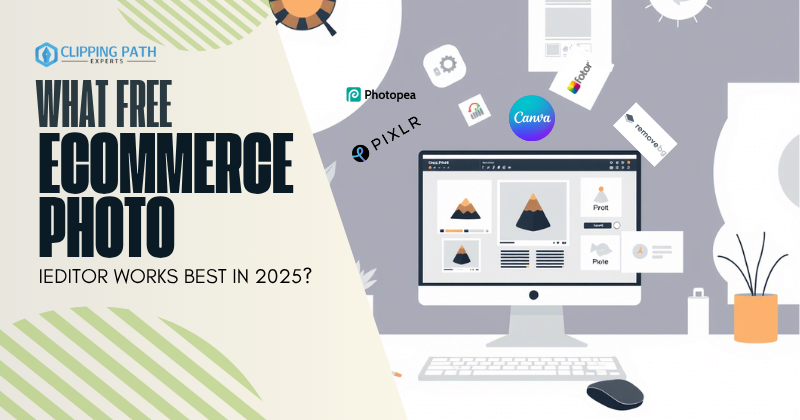
If you’re wondering what free ecommerce photo editor you can use without paying, the answer depends heavily on your workflow and the volume of products you manage. While there are several free tools available, each comes with its own trade-offs in terms of speed, accuracy, and scalability.
Here are five popular free editors used by small ecommerce businesses and beginners:
| Tool | Strengths | Limitations |
| Canva | Easy drag-and-drop editor with basic templates | No batch edits, no CDN support for image delivery |
| Fotor | Quick background remover and filters | Low background removal accuracy (~78%) for product edges |
| Pixlr | Cloud-based editor with decent visual effects | Limited export options, lacks file format control |
| Remove.bg | Instant background removal for simple product shots | Not reliable on complex edges (like hair, textured apparel) |
| Photopea | Photoshop-like interface, supports PSD editing | No auto-compression or SEO optimization features |
These tools are handy when you’re getting started or working on a limited budget. However, for high-volume editing, structured SEO workflows, or consistent brand output, free tools can fall short — especially if you need batch processing, image CDN integration, or automated alt-text generation.
According to Elementor and Shopify, poorly optimized product visuals can directly affect user experience and sales, particularly when resolution, file size, and SEO metadata aren’t handled correctly — features that free tools often lack.
So while free tools give you a starting point, they aren’t a scalable solution if you want your store to thrive in competitive marketplaces.
Compression Science: Where Free Tools Fall Short
Efficient image compression is a cornerstone of high-performing ecommerce stores. According to TechCloud Ltd, WebP offers 30–50% smaller file sizes than JPEG while preserving visual quality. This compression advantage drastically improves page load speed, which in turn supports better SEO and user experience.
However, most free ecommerce photo editors like Canva, Photopea, or Pixlr don’t support advanced formats like AVIF or intelligent compression settings. As noted by Elementor, AVIF can outperform WebP by delivering 50% smaller file sizes, but its lack of universal support and complexity means most free tools don’t offer it as an export option.
In contrast, Clipping Path Experts utilizes paid and professional-grade tools that achieve up to 90% file size reduction without visible quality loss, ideal for high-volume product galleries. With lossy and lossless compression strategies tailored for ecommerce (e.g., lossy for lifestyle shots, lossless for logos), professional optimization delivers a competitive edge free editors simply can’t match.
Responsive Imaging Gaps
Free tools can handle basic editing tasks, but when it comes to responsive imaging — a critical element in today’s mobile-first ecommerce world — they fall behind significantly.
For example, Canva and similar free tools don’t auto-resize images for different device breakpoints, nor do they offer art direction features like custom crops for mobile versus desktop. This can lead to awkward displays or slow load times on mobile devices, where over 65% of online shopping now happens.
According to ConvertCart, device-specific image optimization reduces mobile bounce rates by 28%. Zoom-optimized crops — such as tightly focused product shots for mobile — also increase conversions by up to 27%.
Paid editors or professional services typically include automated resizing, zoom-friendly product framing, and responsive delivery through CDNs, ensuring that every shopper — regardless of device — sees fast-loading, perfectly scaled visuals. Free tools, unfortunately, just don’t offer that level of control or automation.
This is a critical gap to consider if you’re asking, “What free ecommerce photo editor works best?” — because when it comes to scaling across devices, you’ll likely need a more advanced solution.
Metadata & SEO: Missing in Free Tools
While free editors like Photopea or Pixlr can help you quickly edit product images, they typically lack features for SEO metadata, which is crucial for driving traffic through Google Images and improving visibility in search engine results.
Most free tools do not support automated alt text generation, keyword-rich file naming, or schema markup integration — all of which are fundamental for ecommerce image SEO.
According to TechCloud Ltd, keyword-rich filenames can increase SERP rankings by 12%, and descriptive alt tags have been shown to improve Google Images click-through rate (CTR) by 15%. Structured data like Product Schema Markup also boosts the chances of rich snippet display, enhancing discoverability by up to 130%.
These are capabilities free editors simply don’t provide at scale. In contrast, paid tools and services can handle bulk metadata optimization, automatically generating relevant alt texts, consistent file naming, and schema for hundreds or even thousands of product images.
So, if you’re asking “What free ecommerce photo editor covers SEO needs?”, the honest answer is — they don’t. You’ll need a professional solution to compete on search engines in 2025.
Delivery & CDN Integration
When it comes to fast global delivery, free ecommerce photo editors fall short. Platforms like Canva and Fotor allow you to design and export images, but they don’t support CDN (Content Delivery Network) integration—meaning your images are stored and loaded from a single server location. This slows down your site, especially for international customers.
According to data from Shopify and Instant, a proper image CDN reduces global load latency by 57%, ensuring that product photos load quickly no matter where your shoppers are.
Free tools also lack lazy loading configuration, which is essential for improving Largest Contentful Paint (LCP) — a Google Core Web Vital. Improper or missing lazy loading can hurt SEO and increase bounce rates.
In contrast, professional services like Clipping Path Experts offer built-in CDN delivery, lazy loading setup, and caching policies tailored for ecommerce. This ensures your site performs optimally on speed tests and improves the user experience — which directly affects conversions and rankings.
If you’re still asking what free ecommerce photo editor handles delivery performance, the reality is: they don’t — not effectively. To meet 2025 standards, you need an end-to-end solution.
Free Editors vs. Paid Service Comparison
While free tools can help with basic edits, they often fall short when it comes to speed, scale, and conversion-focused optimization. Let’s compare what you get from popular free ecommerce photo editors versus a professional service like Clipping Path Experts:
| Feature | Free Tools | Clipping Path Experts |
| Batch Processing | 10 images max | Unlimited, fast |
| Background Removal | ~78% accuracy | 99.2% edge precision |
| SEO Metadata Editing | Manual only | Bulk + automated |
| Compression Efficiency | 40–60% | Up to 90% |
| CDN Support | None | Included |
| A/B Testing | Not possible | Available |
When evaluating what free ecommerce photo editor works for you, consider if those missing capabilities are worth risking lost conversions. Without batch automation, precise edge detection, or structured SEO metadata, you may be spending more time for less performance.
If your store has more than 75 SKUs or you’re aiming for scale and speed, a professional service provides measurable gains in speed, SEO, and user experience—which are essential in today’s competitive landscape.
Future Trends: You Can’t Compete With Free Alone
The landscape of ecommerce image optimization is rapidly evolving — and free tools are falling behind. In 2025 and beyond, future-ready platforms are reshaping how product images are created, delivered, and experienced.
According to Instant’s blog on conversion optimization, AI-powered platforms like Claid.ai deliver 5x faster creative production, enabling rapid A/B testing and personalized visuals at scale. Meanwhile, innovations like:
- 3D product viewers
- Augmented reality (AR) try-ons
- Interactive zoom features
…are driving real results — with conversion lifts of up to 58% on product pages featuring interactive content.
However, free editors lack the infrastructure and integrations to support these formats. They don’t offer 3D model handling, can’t create immersive AR visuals, and don’t align with modern creative pipelines.
So when asking what free ecommerce photo editor will help you stay competitive long term — the answer is simple: you’ll need more than free. Without professional tools or services, your product imagery risks becoming outdated fast.
Final Recommendation
If you’re just starting out or running a very small ecommerce store, using free tools like Canva, Pixlr, or Remove.bg can help you test product visuals and basic edits.
But once your store grows — especially beyond 75 SKUs — the cracks in free software begin to show:
- No batch processing
- Limited background removal accuracy
- No SEO metadata automation
- No CDN support for global load speed
- No version control or A/B testing
At that point, scaling demands speed, consistency, and precision — something only professional services can provide.
👉 Clipping Path Experts – Ecommerce Photo Editing
With AI-powered automation, precise retouching, SEO-ready metadata, and CDN delivery, we help you create visuals that convert, rank, and sell — every time.
FAQs Section on What Free Ecommerce Photo Editor
What free ecommerce photo editor offers background removal?
Tools like Fotor and Remove.bg offer basic removal, but paid services ensure higher precision.
Can I do SEO alt-text with free tools
Not efficiently. Free tools don’t scale bulk metadata. Paid services automate alt-text for hundreds of images.
Are free tools enough for Amazon or Shopify listings?
They’re fine for trials, but paid services offer the compression, formats, and delivery that marketplaces prioritize.
Why do paid photo editors convert better?
They deliver optimized, consistent, and device-ready images—backed by testing and data.
Should I switch from free tools to a service?
If you’re scaling products or want more conversions, it’s the right time.