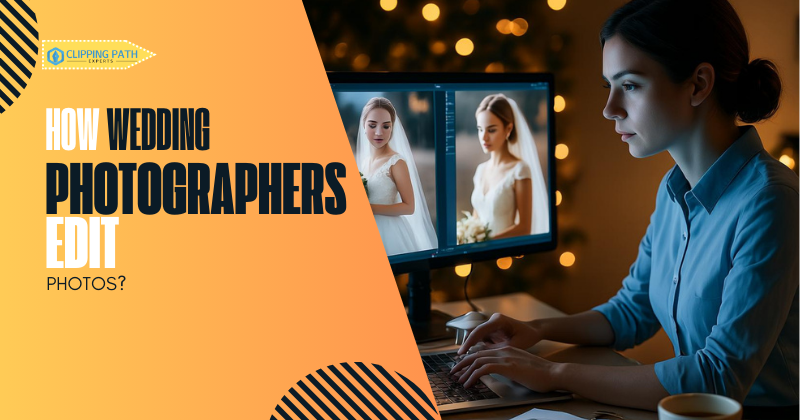
A stunning wedding album isn’t just captured—it’s crafted. Behind every breathtaking image lies hours of meticulous editing, where raw photos transform into timeless memories. How do wedding photographers edit photos to achieve this magic? It’s a blend of cutting-edge software, artistic vision, and technical precision, all working together to elevate light, emotion, and storytelling.
Today’s photographers follow a structured workflow—from culling thousands of shots to applying consistent color grading and delicate retouching. With trends like AI-powered batch editing and outsourced retouching on the rise (Aftershoot’s Workflow Guide), the process is faster than ever, but still deeply intentional. Whether it’s correcting harsh lighting or sculpting the perfect portrait, each edit serves one goal: to make your love story look as extraordinary as it feels.
Why Wedding Photo Editing Matters: Transforming Good Photos into Timeless Memories
Understanding how wedding photographers edit photos reveals why professional editing isn’t just important—it’s essential. These carefully crafted adjustments serve three powerful purposes:
Elevating Emotion & Storytelling
The right edits amplify the raw emotion of your day—deepening the warmth of golden-hour portraits or enhancing the energy of dance-floor candids. As seen in before-and-after comparisons from Wedding Photography & Films, subtle tweaks to contrast and shadows can turn a simple moment into a cinematic memory.
Correcting the Unavoidable
Even the best photographers battle harsh lighting or awkward shadows during ceremonies. Professional editing fixes these issues—balancing exposure in backlit vows or removing distracting background elements—while keeping results looking natural.
Creating Visual Harmony
A wedding gallery typically includes 500+ images across different lighting conditions. Through consistent color grading and style application (like the techniques shared in Dave’s Pink Photography’s guide), editors ensure every photo feels part of a cohesive narrative.
How Wedding Photographers Edit Photos: A Step-by-Step Workflow
Professional wedding photographers follow a meticulous editing process to transform raw captures into polished albums. Here’s exactly how wedding photographers edit photos from start to finish:
Import & Backup
The process begins by transferring RAW files to a primary drive and creating redundant backups (cloud + physical drives). As emphasized in Aftershoot’s workflow guide, this safeguards against data loss—a non-negotiable for irreplaceable wedding memories.
Culling (Image Selection)
Using tools like Photo Mechanic or Lightroom, photographers review 3,000+ shots to select the 500-800 best images. Surprisingly, this alone consumes 11% of their total work time (Petapixel). Pro culling tips from Miranda Gates include:
- Flagging keepers/discards in first passes
- Prioritizing emotional moments over technical perfection
Batch Editing with Presets
To maintain consistency across hundreds of photos:
- Lightroom/Capture One presets apply baseline color/toning
- AI tools (like Aftershoot) auto-match exposures
This step cuts editing time by 40-60% while ensuring brand consistency (CCR Magazine’s tool roundup).
Individual Image Refinement
Key adjustments in Lightroom/Capture One:
- Local exposure tweaks (brighten faces, darken distractions)
- Cropping for better composition
- Sharpening for print-ready clarity
Zoe Larkin’s approach highlights subtle, natural-looking edits.
Advanced Photoshop Retouching
Reserved for 20-50 hero images (e.g., portraits, details):
- Skin smoothing (preserving texture)
- Object removal (photobombers, exit signs)
See dramatic transformations in ISPWP’s before/after gallery.
Export & Delivery
Final images are exported as:
- High-res JPEGs for prints/albums
- Web-optimized versions for online galleries
Digital Touch’s delivery process ensures secure, client-friendly file transfers.
Essential Software: How Wedding Photographers Edit Photos Like Pros
The right tools are crucial for professional results. Here’s a breakdown of the top software wedding photographers use to edit their photos, along with their specialized purposes:
Industry-Standard Editing Tools
| Software | Primary Use | Best For |
| Adobe Lightroom | Batch editing, culling, color correction | Efficient workflow for 500+ images |
| Adobe Photoshop | Advanced retouching, object removal | Perfecting portraits & hero shots |
| Capture One | Tethered shooting, precise color grading | Studio-quality skin tones |
| Photo Mechanic | Ultra-fast culling & metadata management | Narrowing down 3,000+ RAW files |
Emerging & Alternative Options
| Luminar AI | AI-powered sky replacement & skin retouching | Quick enhancements |
| Affinity Photo | Affordable Photoshop alternative | Budget-conscious professionals |
| ON1 Photo RAW | Non-destructive layers & effects | Creative composites |
| Nik Collection | Vintage filters & tonal adjustments | Artistic black-and-white conversions |
Key Insights:
- 85% of professionals use Lightroom + Photoshop as their core combo (CyberLink’s software guide)
- AI tools like Luminar now handle ~30% of routine edits, speeding up workflow (Aftershoot’s AI report)
Pro Tip:
Many photographers combine multiple tools—for example, culling in Photo Mechanic, batch edits in Lightroom, and retouching in Photoshop.
The Hidden Time Investment: How Wedding Photographers Edit Photos
Editing is where the magic happens—but it’s also where photographers spend the majority of their time. Here’s what goes into the process:
Key Time Statistics
- 55% of Total Work Hours are spent editing, compared to just 4% spent shooting (Petapixel Survey)
- 10–14 Hours are needed to fully edit a wedding gallery (culling, retouching, exporting)
- Batch Editing Saves ~30% Time when using presets/AI tools (Aftershoot Analysis)
Where the Hours Go
| Task | Time Spent |
| Culling | 2–3 hours |
| Color Correction | 3–4 hours |
| Retouching (Photoshop) | 2–5 hours |
| Export/Delivery | 1–2 hours |
Why This Matters:
Understanding how wedding photographers edit photos reveals why pricing reflects labor: a 10-hour edit job at $50/hour = $500+ in unseen work.
How Wedding Photographers Edit Photos: 5 Essential Techniques
Professional wedding photographers use specialized editing techniques to transform raw images into polished works of art. Here’s a breakdown of the most common methods:
1. Color Correction (The Foundation)
- Adjusts white balance to neutralize color casts from mixed lighting
- Fine-tunes exposure to recover details in shadows/highlights
- Enhances vibrance (not saturation) for natural-looking richness
2. Skin Retouching (Subtle Perfection)
- Smoothing while preserving natural texture
- Blemish removal (temporary spots, not permanent features)
- Eye enhancement for crisp, bright pupils
Example: See dramatic yet natural transformations in this Pinterest before/after collection.
3. Background Cleanup (Distraction-Free)
- Removes:
✓ Exit signs
✓ Trash bins
✓ Sensor dust spots - Replaces dull skies (when appropriate)
4. Artistic Effects (Style Signature)
- Cinematic tones: Moody contrasts for drama
- B&W conversion: Timeless emotional impact
- Vignettes: Subtle focus guidance
5. Batch Processing (Efficiency Hack)
- Applies consistent edits to 100+ images simultaneously
- Saves 3-5 hours per wedding (Fstoppers efficiency report)
Why These Techniques Matter
Editing isn’t about altering reality—it’s about enhancing authenticity. As shown in Photography by Bill Haddon’s workflow, the best edits go unnoticed while elevating every image.
Pro Tip:
Modern AI tools now automate 40% of these techniques (like basic color correction), but human oversight ensures artistic integrity.
How Wedding Photographers Edit Photos: 2025 Style Trends
The best wedding photographers don’t just edit—they craft a visual signature. Here are the top 5 trends shaping how wedding photographers edit photos in 2025:
1. Natural, True-to-Life Editing
- Minimal retouching: Preserves skin texture, freckles, and “imperfections”
- Authentic colors: No over-stylized presets (say goodbye to teal/orange looks)
- Real moments: Candid over posed, with natural light prioritized
Source: Wezoree’s 2025 Trend Report highlights this shift toward authenticity.
2. Editorial-Inspired Portraits
- Fashion lighting: Dramatic shadows, directional light
- High-contrast tones: Moody and cinematic (without looking artificial)
- Posed storytelling: Couples guided into magazine-worthy frames
3. Black & White Revival
- Emotional impact: Timeless conversions for key moments (vows, first dance)
- Bold contrasts: Deep blacks and crisp whites for archival quality
- Selective use: 10–20% of gallery, reserved for peak emotion shots
4. Motion Blur for Drama
- Intentional blur: Dancing, veil flows, and walking shots
- Added in post: Simulates slow-shutter effects missed in-camera
5. AI-Assisted Efficiency
- Auto-culling: Tools like Aftershoot cut 90% of culling time
- Smart retouching: AI handles repetitive tasks (exposure balancing, noise reduction)
- Human oversight: Pros still make final creative calls
Why These Trends Matter
As Fstoppers notes, today’s couples want a mix of documentary realism and artistic flair. The key is balancing trends with timelessness—so albums age gracefully.
Pro Tip:
Many photographers now offer dual editing—a natural set for family and a stylized set for social media.
How Wedding Photographers Edit Photos: Outsourcing & AI Efficiency
Professional photographers are increasingly turning to outsourcing and AI tools to streamline their workflow while maintaining quality. Here’s how these solutions are transforming the editing process:
1. Outsourcing for Consistency & Time Savings
- Why? Editing a full wedding (10+ hours) can bottleneck a photographer’s workflow.
Top Services Used:
- Full-service editors like Photographer’s Edit
- Specialized retouching (e.g., our wedding photo editing service)
- Benefits:
✔ 48-hour turnaround for full galleries
✔ Style-matched to the photographer’s brand
✔ Frees up time for shooting/marketing
2. AI-Powered Editing Tools
What AI Handles:
- Culling: Auto-flagging blurry/duplicate shots (saves 3–5 hours)
- Batch Edits: Applying presets uniformly across 500+ images
- Basic Retouching: Skin smoothing, exposure balancing
Leading Tools:
- Aftershoot (AI culling)
- ImagenAI (auto-editing based on your style)
Human Touch Still Needed:
- AI can’t replace artistic judgment for hero shots.
3. Hybrid Approach (Best of Both Worlds)
Many pros now:
- Use AI for culling/batch edits → Faster rough draft
- Outsource complex retouching → Perfect key images
- Final QC in-house → Ensure brand consistency
Need a Custom Solution?
➤ Get a Personalized Quote for your wedding gallery edits also can use free triels of 10 images.
Conclution
The journey of how wedding photographers edit photos reveals a meticulous blend of technical skill and creative vision. From culling thousands of raw captures to applying nuanced retouching, every step is designed to preserve the emotion and authenticity of your special day. As 2025 trends lean toward natural yet polished results—powered by AI efficiency and outsourced expertise—the editing process has become both an art form and a strategic investment. Whether you’re a photographer refining your workflow or a couple seeking timeless memories, professional editing ensures your images tell a story that grows more precious with time.
Ready to transform your wedding photos? Explore our editing services or request a custom quote to see the difference expertise makes.
FAQs: How Wedding Photographers Edit Photos
1. How long does it take to edit a wedding?
Most photographers spend 10–14 hours editing a full wedding gallery. Complex edits (like detailed retouching or creative composites) can extend this timeframe. Photographers on Reddit note that efficient workflows cut this time significantly.
2. Do wedding photographers edit every photo?
No—professionals typically deliver 400–800 fully edited images from 3,000+ raw shots, selecting only the best compositions and emotional moments.
3. What software tools dominate wedding photo editing in 2025?
The top three are:
- Adobe Lightroom (batch processing)
- Photoshop (advanced retouching)
- Capture One (color grading)
Specialist tools like Aftershoot (AI culling) are gaining traction. Victor Alaez’s workflow demonstrates how pros combine these.
4. How do photographers balance batch edits with individual retouching?
- Batch edits handle 70–80% of images (exposure, color presets)
- Individual retouching is reserved for portraits/key moments
This hybrid approach saves hours while ensuring hero shots shine.
5. What are 2025’s biggest wedding photo editing trends?
- True-to-life skin tones (minimal retouching)
- Cinematic contrast in portraits
- AI-assisted workflows for culling/color grading
See 2025 trend forecasts for examples.
6. How does AI help with culling and enhancements?
Tools like Aftershoot now:
✓ Auto-flag blurry/duplicate shots (saves 3–5 hours)
✓ Apply base color corrections
✓ Suggest best compositions
Human photographers still make final creative calls.
7. Can I request specific edits from my photographer?
Yes, but major changes (e.g., background swaps) often cost extra. Discuss this during contract signing.
8. How do photographers streamline their workflow?
Top time-savers:
- Outsourcing bulk edits
- AI culling tools
- Custom Lightroom presets
This reclaims 20+ hours per wedding.
9. How can I request specific editing styles from my photographer?
Communicate visually and verbally:
- 📌 Create a Pinterest board with 10-20 example images
- 🎨 Share 3 style keywords (e.g., “airy,” “warm,” “cinematic”)
- 🔧 Ask if they use presets – most have signature looks
Pro Tip: Discuss this before signing the contract!
10. What’s the #1 mistake beginners make when editing?
Overdoing these 3 adjustments:
- Skin retouching (losing all natural texture)
- Vibrance/Saturation (creating neon colors)
- Vignettes (making photos look tunneled)
Pro Fix: Regularly view images at 25% zoom to check realism.
11. How much should editing cost for a 500-image wedding?
Typical ranges:
- $250-$600: Basic culling + color correction
- $800-$1,500: Advanced retouching + albums
Key Factors: - Turnaround time (rush = +20-50%)
- Editor expertise (beginners vs. luxury retouchers)
- Geographic rates (Asia vs. US/EU)